

免費Icon小圖示編輯工具–IcoFX,可以製作、擷取、編輯*.ico小圖示,匯入許多格式的圖形檔來製作Icon,轉存內建各種大小、彩度的Icon,是製作網頁FavIcon的好工具。(阿榮)(圖)
阿榮評語:
[2009.03.31] 可以把圖片直接轉成ICO的網站:http://www.favicon.cc/。
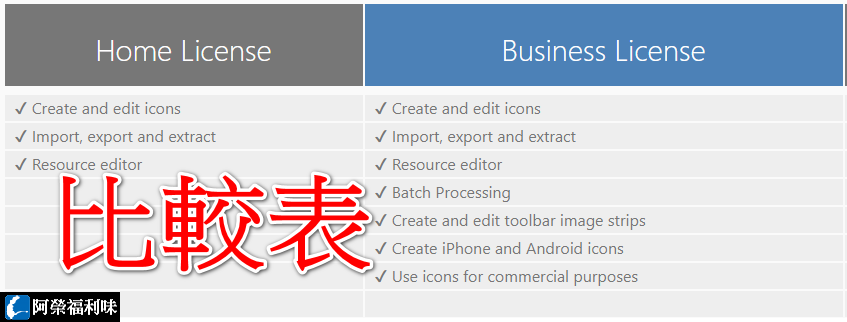
[2011.09.15] 此軟體自2.0版起已改為付費軟體(Shareware),不再更新!
IcoFX is an award winning freeware icon editor. It is an all-in-one solution for icon creation, extraction and editing. It is designed to work with Windows XP, Windows Vista and Macintosh icons supporting transparency.
With a wealth of tools and more than 40 effects at your fingertips, there’s virtually no limit to the icons you can create. You can easily convert your favorite images into icons, or icons into images. IcoFX gives you the possibility to create icon libraries or change icons inside exe files. Create a favicon for your website or blog.
[中文切換教學]
下載連結→ [按此]


11 意見:
URL: http://www.box.net/shared/static/aed3lxb69m.exe
檔案名稱: IcoFX_1.6.3_azo.exe
有效驗證碼: daf51727d8aff85d486cd0407d8cf33085d6431a
驗證碼結果: e0e4519d2e5f747e54e744494e6bde0e
這位大哥,你拿 MD5 去驗證 SHA1 了啦!會一樣才有鬼...
http://icofx.ro/v1_6/languages.html
語系檔~~網址
一樓樓主:報告!當時一定太愛睏了,才會試了兩次都沒發現選項都選成MD5!非常抱歉...
您的版本是用安裝版製作的嗎?
執行檔大小與他的USB版本不太一樣!
沒注意到有 USB 版以及中文語系,已更新發怖的檔案。
哦哦!!
這小東西我用很久了
我的是1.5.01版
是為了製作ico圖示才找的
一直用到現在
看到一樓我笑了
感謝分享!放在隨身碟還是比較方便呢
奇怪,我怎是英文的…
已補上中文切換教學:
http://azo-edu.blogspot.com/2010/02/icofx.html
張貼意見